
Amazon Fire TV Stick HD Honest Review: Is It Worth Buying? ….
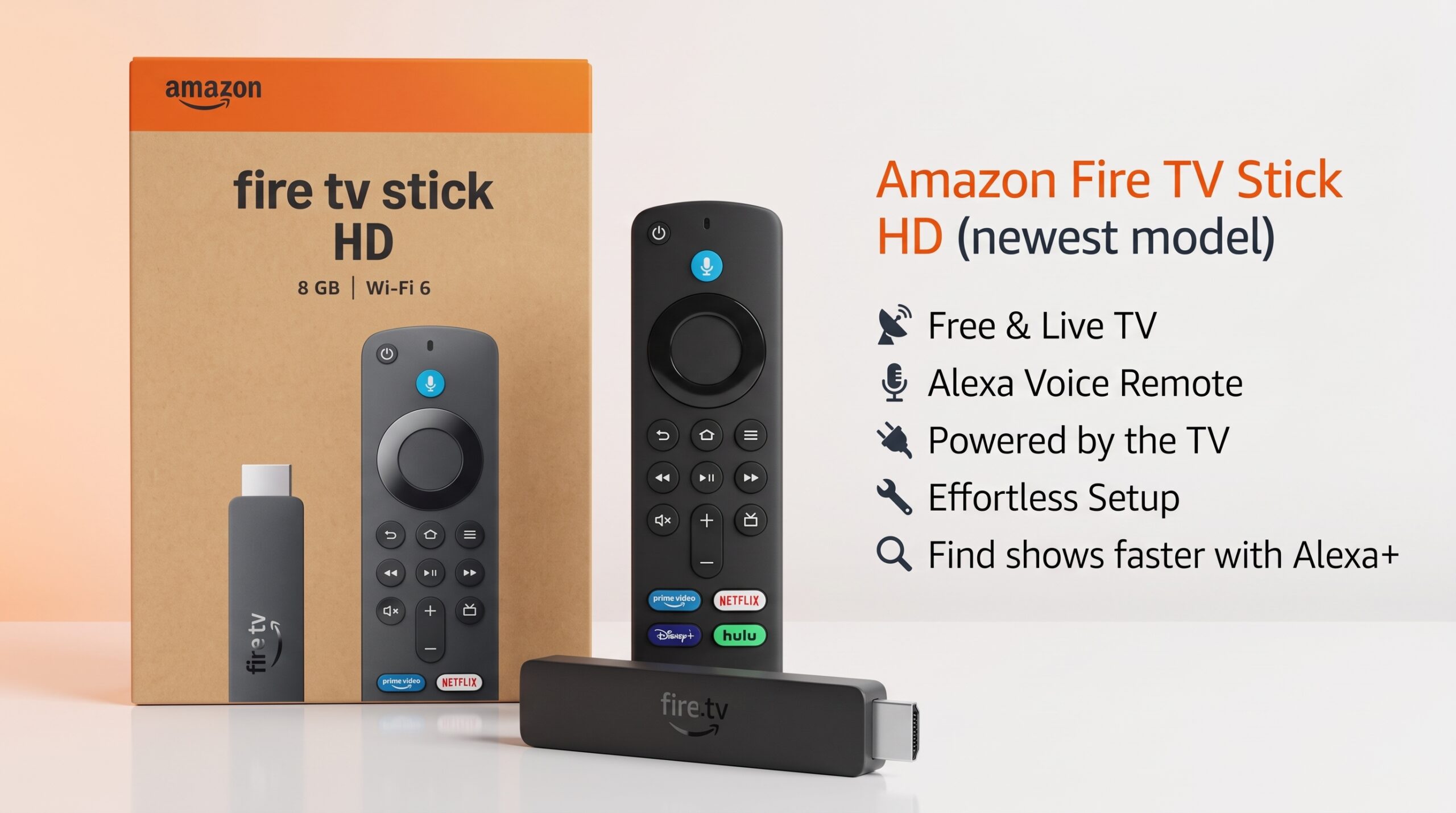
Amazon Fire TV Stick HD (newest model), free & live TV, Alexa Voice Remote, powered by the TV, effortless setup, find shows faster with Alexa+
If your TV still works perfectly but its built-in smart features feel slow, outdated, or inconvenient, the Amazon Fire TV Stick HD is designed to solve exactly that problem.
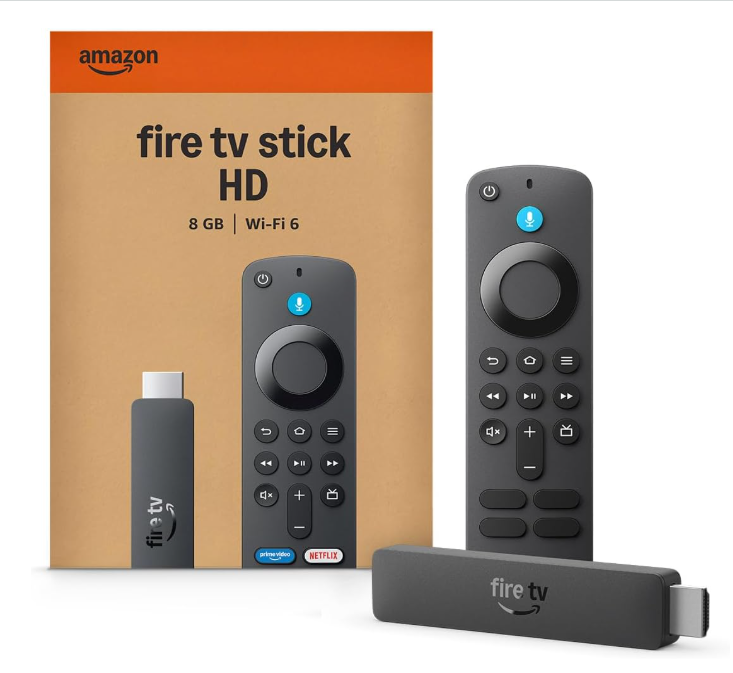
This newest HD model focuses on the basics that matter most for everyday streaming: Full HD 1080p video, Wi-Fi 6, 8GB of storage, Alexa voice control, Bluetooth 5.3, and a compact design that can draw power directly from your TV’s USB port. Amazon also gives it a redesigned Fire TV experience with easier access to movies, shows, live TV, apps, and personalized recommendations. The important thing to understand, though, is that this is an HD streaming stick, not a 4K model. If your TV is 1080p, that’s not really a problem. But owners of 4K TVs should look at one of Amazon’s 4K Fire TV options instead.
Key Features
- Full HD 1080p Streaming: Supports up to 1080p Full HD resolution at 60 fps, making it a good match for standard HD TVs.
- Wi-Fi 6: Dual-band Wi-Fi 6 support can provide a faster and more stable connection on compatible home networks.
- 8GB Internal Storage: Provides 8GB of storage for apps and device content.
- Alexa Voice Remote: Search for movies and shows by voice and control compatible TVs, soundbars, and receivers.
- Alexa+: Supports more natural voice requests for finding content, getting information, and controlling compatible smart-home devices.
- Bluetooth 5.3: Lets you connect compatible Bluetooth headphones, speakers, game controllers, and other accessories.
- Direct Power: Can be powered through a compatible TV’s USB port using the included USB-C cable, helping reduce cable clutter.
- Portable Design: Its compact size makes it easy to move between compatible TVs, making it useful for bedrooms, guest rooms, dorms, or travel setups.
Is Amazon Fire TV Stick Actually Useful Now?
Yes, especially if your TV is older, slow, or doesn’t have a smart-TV platform you enjoy using. It’s a simple way to add modern streaming features to a bedroom TV, guest-room TV, dorm setup, or secondary television.
It’s less useful if you already have a newer smart TV with a fast interface and all the streaming apps you regularly use. In that case, the Fire TV Stick HD may not add much.
The newer model’s appeal is its combination of Full HD streaming, Wi-Fi 6, 8GB storage, Bluetooth 5.3, Alexa voice control, and a compact design. Amazon’s current specifications also list 1GB of memory and support for compatible Bluetooth headphones, speakers, and game controllers.
For a 1080p TV, that feature set makes the Fire TV Stick HD a practical streaming upgrade. If you own a 4K TV, however, its 1080p limit is the main reason to consider a 4K Fire TV model instead.
What Does It Do?
At its simplest, the Amazon Fire TV Stick HD is a streaming media player that gives your TV access to Amazon’s Fire TV platform. You plug it into an available HDMI port, connect it to Wi-Fi, pair the included Alexa Voice Remote, and you’re ready to browse supported streaming apps and content.
Instead of relying on your TV’s built-in smart-TV system, you can use the Fire TV interface to find and watch entertainment in one place. You can use it to:
- Watch movies and TV shows
- Stream YouTube and Prime Video
- Access supported streaming apps and services
- Watch available free and ad-supported content
- Browse supported live TV options
- Search for movies and shows using Alexa
- Connect compatible Bluetooth headphones, speakers, and controllers
- Control compatible TVs and audio equipment with the Alexa Voice Remote
- Use supported Alexa and smart-home features
- Access supported cloud-gaming services
Keep in mind that some streaming services require separate subscriptions, and available apps and content can vary depending on your location.
Why Choose the Amazon Fire TV Stick HD?
The main reason to choose the Amazon Fire TV Stick HD is simplicity. It gives you a straightforward way to upgrade a compatible TV without adding a bulky streaming box.
- You have a 1080p TV: The device supports Full HD 1080p streaming, making it a natural fit for standard HD televisions.
- You want a simple setup: Plug it into an HDMI port, connect to Wi-Fi, and start using the Fire TV platform.
- You like voice control: The Alexa Voice Remote makes it easier to search for movies, shows, apps, and other content without typing everything manually.
- You want fewer cables: Direct Power allows the stick to draw power from a compatible TV’s USB port using the included USB-C cable.
- You use Bluetooth accessories: Bluetooth 5.3 lets you connect compatible headphones, speakers, controllers, and other devices.
- You want something portable: Its compact stick design makes it easy to move between compatible TVs, bedrooms, guest rooms, or travel setups.
Who Is This Best For?
The Amazon Fire TV Stick HD is a good fit for:
- People with an older non-smart TV or a slow, outdated smart TV who want a simple way to add modern streaming features.
- Anyone setting up a secondary TV, such as a bedroom, kitchen, guest room, or dorm.
- Budget shoppers who want an affordable streaming device without paying for features they may not need, such as 4K.
- Alexa and Prime users who already use Amazon services and want voice control and Fire TV features in one ecosystem.
- Frequent travelers who want a compact streaming device they can move between compatible TVs.
- Cord-cutters and everyday streamers who mainly watch movies, TV shows, YouTube, and supported streaming services.
- Gift buyers looking for a small, practical tech gift for someone who owns a compatible TV.
Who May Want to Skip It?
- 4K TV owners who want 4K streaming: The Fire TV Stick HD is limited to 1080p Full HD. If you specifically want to take advantage of a 4K TV, a 4K-capable Fire TV device would be a better match.
- People who want premium picture features: This is an HD-focused streaming stick, so it isn’t designed for the more advanced picture capabilities available on higher-end 4K streaming devices.
- People who need lots of storage: With 8GB of internal storage, it’s suitable for normal streaming apps, but heavy app users may eventually find the available space limiting.
- People who expect everything to be free: The Fire TV Stick provides access to free and ad-supported content, but many popular streaming services require separate subscriptions.
- People who want unrestricted app installation: Amazon limits app downloads to the Amazon Appstore, so this may not be the right choice for users who specifically want a more open platform.
- People who are already happy with their smart TV: If your TV already provides the apps, speed, interface, and streaming quality you need, adding a Fire TV Stick HD may not offer enough of an upgrade to justify another device.
The Pros & Cons
Pros
- Very affordable, especially when on sale
- Alexa Voice Remote included
- Remote can control compatible TV power and volume
- Easy and straightforward setup
- Small and portable design
- Wide selection of streaming apps
- Wi-Fi 6 support
- Bluetooth 5.3 connectivity
- Good upgrade for older or basic 1080p TVs
Cons
- No 4K video output
- No Dolby Vision support
- Hardware is less powerful than Amazon’s 4K Fire TV models
- Fire TV interface promotes Amazon content and may include sponsored recommendations
- 8GB internal storage may feel limited for users with many apps
- Remote requires AAA batteries
- Not the best choice if you specifically want a 4K streaming experience
Final Verdict
The Amazon Fire TV Stick HD (newest model) is a straightforward streaming upgrade that focuses on what most people actually need: Full HD streaming, Wi-Fi 6, Alexa voice control, Bluetooth 5.3, 8GB storage, and a compact design with convenient TV-powered setup. Its biggest limitation is also clear: it’s an HD-only device, not a 4K streamer.
That makes it a particularly good fit for 720p or 1080p TVs, older smart TVs, bedrooms, guest rooms, and secondary televisions. Setup is simple, and the Alexa Voice Remote makes finding movies and shows much easier than typing everything with a remote.
If you already own a 4K TV and want to take advantage of its full picture quality, a 4K-capable Fire TV device makes more sense. But if your goal is simply to give an HD TV a cleaner, smarter, and easier streaming experience, the Fire TV Stick HD is a practical choice without unnecessary complexity.
Frequently Asked Questions (FAQ)
Is the Amazon Fire TV Stick HD 4K?
No. The Fire TV Stick HD supports 1080p Full HD and 720p output up to 60 fps. It does not support 4K streaming.
Does the Fire TV Stick HD need Wi-Fi?
Yes. An internet connection is required for streaming, and the device supports dual-band Wi-Fi 6 for compatible networks.
Does it come with a remote?
Yes. The package includes an Alexa Voice Remote and two AAA batteries.
Can I control my TV with the Fire TV remote?
Yes. The Alexa Voice Remote can control compatible TVs, soundbars, and A/V receivers, including functions such as power and volume.
Does the Fire TV Stick HD need a wall adapter?
It can use Direct Power through a compatible TV’s USB port with the included USB-C cable. If the TV’s USB port doesn’t provide enough power, an appropriate external power source may be needed.
How much storage does it have?
The Fire TV Stick HD comes with 8GB of internal storage for apps and other device content.
Does it support Bluetooth headphones?
Yes. With Bluetooth 5.3, you can connect compatible headphones, speakers, game controllers, and other Bluetooth accessories.
Can I use Netflix and YouTube?
Yes. The Fire TV platform supports popular apps such as Netflix, YouTube, Prime Video, Disney+, Apple TV, Hulu, Peacock, and Paramount+. Availability can vary by region, and some services require separate subscriptions.
Does it include free TV?
It provides access to free and ad-supported content, but it does not make paid streaming services free. Services such as Netflix and other subscription platforms may require separate memberships.
Do I need an Amazon Prime membership?
No. A Prime membership is not required to use the Fire TV Stick HD. However, you need an Amazon account to set up the device, and individual streaming services may require their own subscriptions.
Is Alexa+ included?
The current Fire TV experience supports Alexa+ features, including more natural voice requests for finding content and using supported Alexa functions. Availability can vary by account, region, and service.
Can I install apps from outside the Amazon Appstore?
Amazon states that this model does not support sideloading or installing apps from unknown sources and uses the Amazon Appstore for supported app downloads.
What TVs work with the Fire TV Stick HD?
It is designed for HD televisions with a compatible HDMI input and an internet connection. It supports 1080p and 720p output rather than 4K.
Can I use the Fire TV Stick HD while traveling?
Yes. Its compact design makes it convenient to move between compatible TVs. You’ll need an HDMI-equipped display and an internet connection, and hotel or public Wi-Fi networks may have additional login requirements.
Is the Fire TV Stick HD worth considering for a 1080p TV?
If you have a 1080p TV and mainly want an easy way to stream movies, shows, live content, and apps, the Fire TV Stick HD is designed specifically around that use case. Its Full HD output, Wi-Fi 6, Alexa Voice Remote, Bluetooth 5.3, and compact design make it a practical streaming upgrade.
Amazon Fire TV Stick HD Honest Review: Is It Worth Buying?