
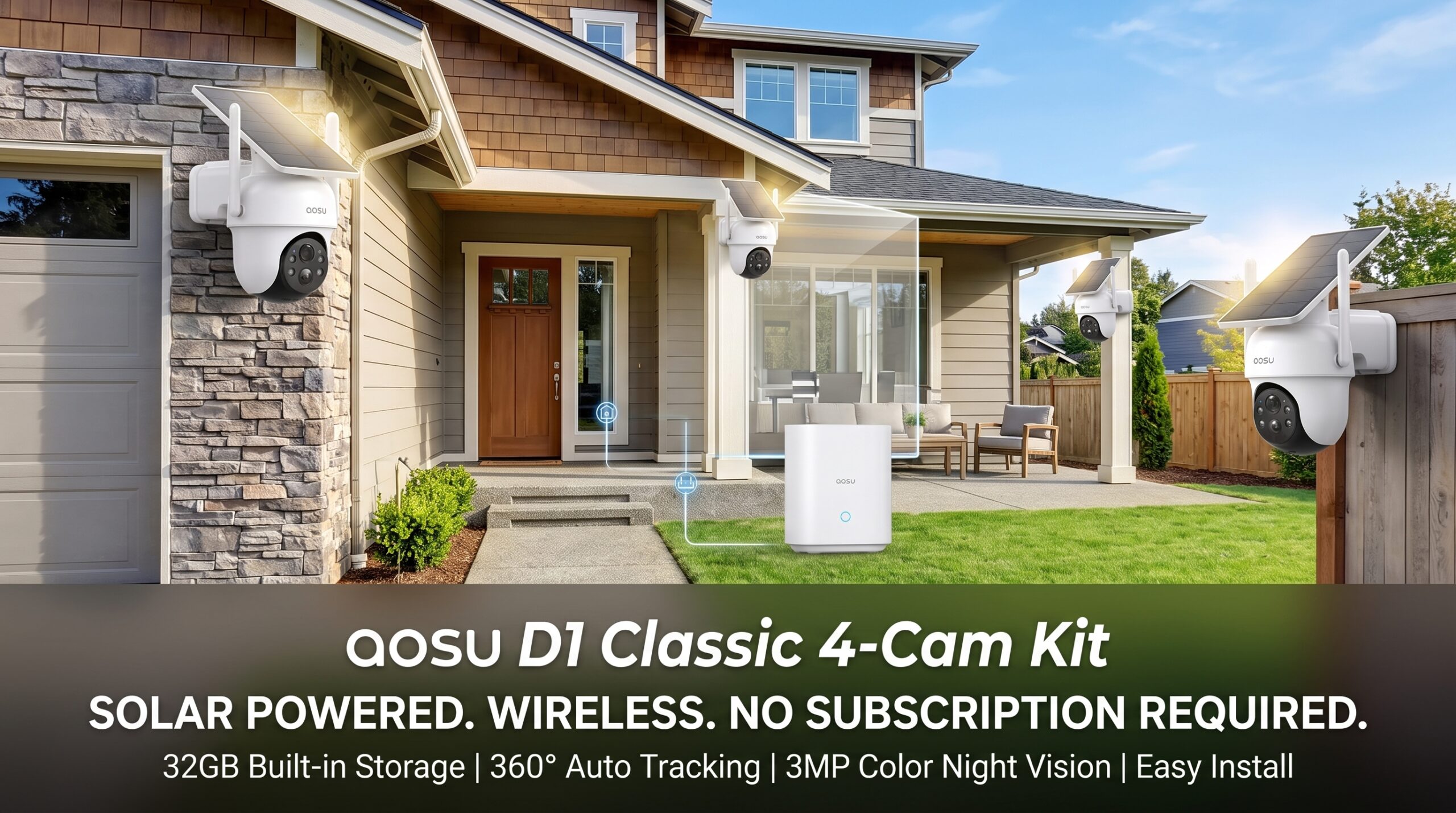
Best aosu D1 Classic 4-Cam Kit Review….
aosu D1 Classic 4-Cam Kit, Security Cameras Wireless Outdoor, Solar Powered. No Subscription Required, 32GB Build-in Storage, 360° Auto Tracking, Solar Powered, 3MP Color Night Vision, Easy Install.
If you want to put security cameras around your home without running power cables everywhere or paying another monthly subscription just to save recordings. the aosu D1 Classic 4-Cam Kit is designed around exactly that idea.
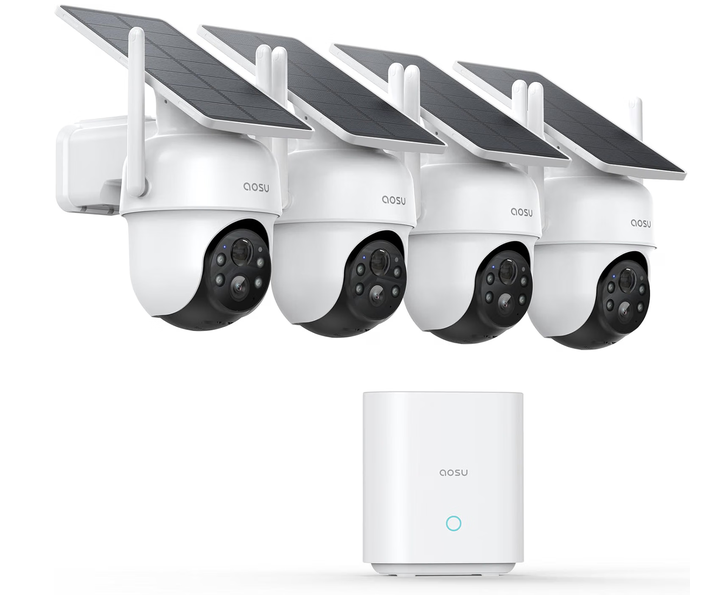
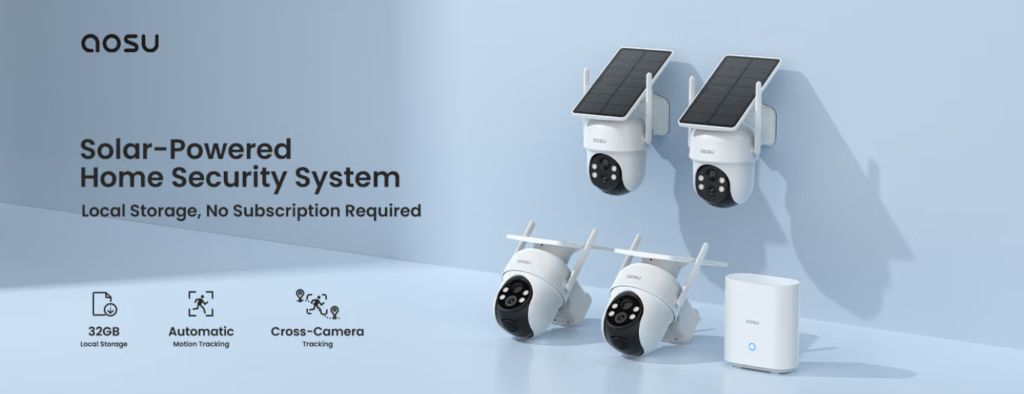
This system combines four wireless outdoor cameras with solar charging, 3MP/2K video, 360° pan-and-tilt coverage, automatic motion tracking, color night vision, two-way audio, and a 32GB aosuBase for local recording. The big selling point is that the basic recording and monitoring features don’t require a monthly subscription.
Quick Verdict
| Specification | Details |
|---|---|
| Recommended Uses For Product | Outdoor Security |
| Brand | aosu |
| Model Name | C9C3CA11 |
| Connectivity Technology | Wireless |
| Special Features | 2-Way Audio, 2K Color Night Vision, 32GB aosuBase, No Subscription Required, Automatic Tracking, PTZ Technology |
| Compatible Devices | Smartphone |
| Controller Type | Amazon Alexa, Google Assistant, SmartThings |
| Mount Type | Wall Mount |
| Color | Black or White |
| Installation Type | Screw-In |
| Enclosure Material | Plastic |
| Shape | Dome |
| Alert Type | Audio and Motion |
| Light Source | LED |
Is the aosu D1 Classic 4-Cam Kit Actually Useful Now?
Yes, particularly for homes where a single camera simply isn’t enough.
Four cameras allow you to cover areas such as the:
- Front entrance
- Driveway
- Backyard
- Side gate
- Garage or other outdoor area
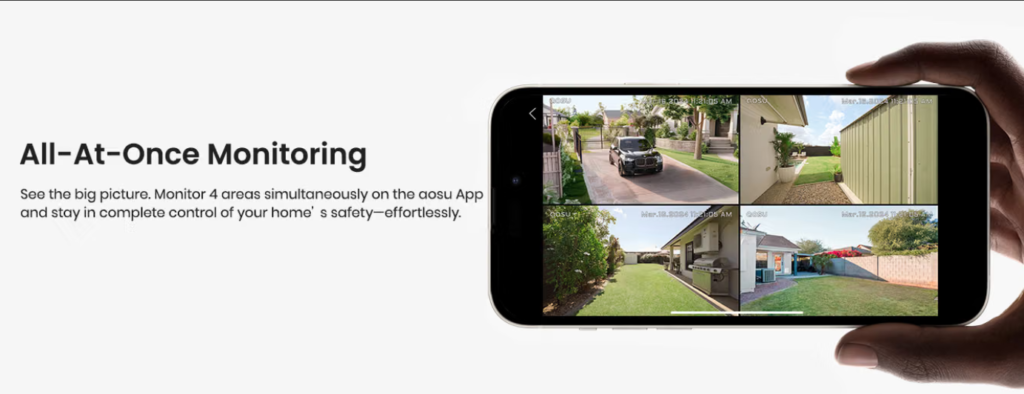
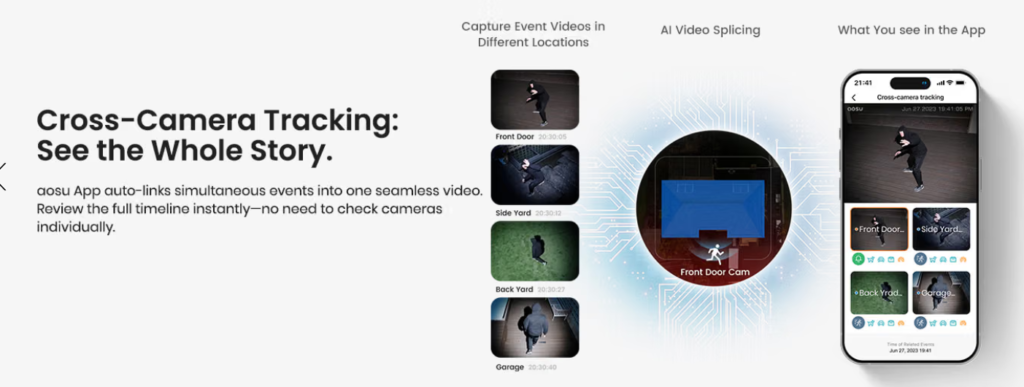
Instead of buying four completely separate cameras, the D1 Classic connects the cameras through the aosuBase and app. You can view up to four camera feeds simultaneously, while the system can also connect related events through its cross-camera tracking feature.
The solar-powered design is another practical advantage. Each camera has a built-in solar panel and battery, so you don’t have to run a power cable to every mounting location. aosu says the solar system is designed to maintain operation with regular sunlight, while the cameras can also be charged through USB-C when necessary.
The other reason this system still makes sense is the local storage. The included aosuBase has 32GB of storage, allowing motion-triggered recordings to be stored locally without requiring a cloud subscription. aosu currently estimates up to around 60 days of motion-event recordings for the four-camera version,
Key Features: aosu D1 Classic 4-Cam Kit
| Feature | Detail |
|---|---|
| Resolution | 2K QHD (2560 × 1440), 3MP sensor |
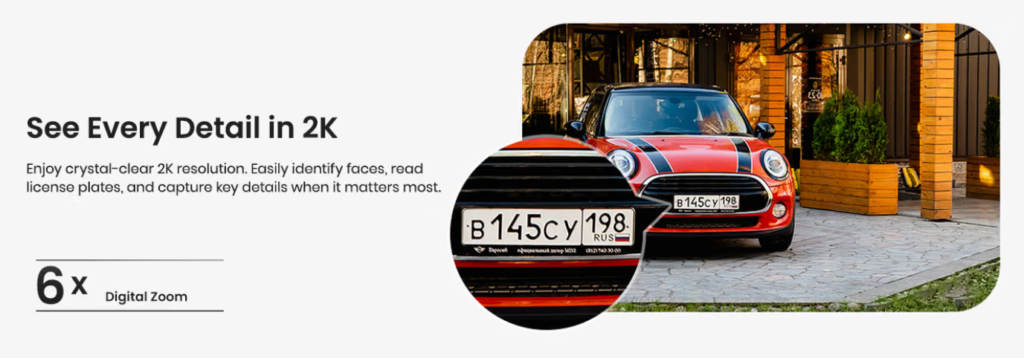
| Coverage | 360° pan, tilt (PTZ), 6× digital zoom |
| Storage | 32GB built into the aosuBase hub — no SD card, no subscription |
| Retention | ~60 days of event recordings on the 4-cam kit (~120 days on the 2-cam) |
| Power | Built-in solar panel + rechargeable battery; ~2–3 hours of daily sun |
| Night Vision | Full-color via 4 LED spotlights, roughly 33 ft range |
| Detection | Motion detection with AI human detection, auto-tracking |
| Audio | Two-way talk, preset responses, voice disguise |
| Deterrents | Spotlight + siren |
| Weather | IP-rated for outdoor use, roughly -20°C to 50°C operating range |
| Smart Home | Alexa, Google Assistant, SmartThings |
| Wi-Fi | 2.4GHz; the aosuBase acts as a signal repeater to the cameras |
| In the Box | aosuBase hub, 4 cameras, charging cable + adapter, mounting screws, manual |
What Does the aosu D1 Classic Actually Do?
The system acts as an autonomous perimeter patrol for your property:
- Senses Motion: An integrated PIR sensor paired with on-device AI algorithms differentiates humans from swaying trees, passing cars, or falling leaves.
- Tracks Targets: When a person steps onto your driveway or backyard, the motorized head follows their path in real time.
- Alerts & Deters: Instantly notifies your smartphone while triggering a spotlight or audible siren if set to away mode.
- Archives Safely: Sends encrypted video clips over a proprietary wireless link back to the indoor base station, keeping your video safe even if an outdoor unit is tampered with.
Materials & Build Quality
- Weatherproofing: IP65-certified housing built from UV-resistant polycarbonate designed to endure direct sun, heavy rain, and freezing winter temperatures.
- Solar Integration: Monocrystalline silicon solar cells are laminated directly on the top surface, minimizing exposed joints and potential water ingress points.
- Gears & Motors: Enclosed pan-tilt gear train with rubber gaskets around rotating seams to keep out fine dust and moisture.
- Mounting Brackets: Reinforced ABS wall/corner brackets with standard threaded retention screws.
Best aosu D1 Classic 4-Cam Kit Review
How to Install It
The “5-minute install” claim is optimistic but not a lie. Budget 15–20 minutes per camera for a careful job.
Step 1 — Charge everything first. Plug each camera into the included adapter and bring it to full before it ever goes on a wall. A fresh solar camera arrives partly charged, and starting from 100% gives the panel a much easier job.
Step 2 — Set up the hub. Plug the aosuBase into power near your router, connect it, and pair it in the aosu app. Do this before you touch a drill.
Step 3 — Pair and test the cameras indoors. Get all four onto the system while they’re sitting on your kitchen table. Fixing a pairing problem at ground level beats doing it on a ladder.
Step 4 — Scout your mounting spots. This is the step people skip and regret. For each location, check two things: does it get at least 2–3 hours of direct sun (south or southeast-facing is ideal in the Northern Hemisphere), and does the app show a strong signal from the hub? Walk the camera to the spot and check live view before you commit.
Step 5 — Mount at the right height. Roughly 8–10 feet up, angled slightly down. Too high and you’re filming the tops of heads; too low and it’s easy to tamper with. Three screws through the bracket, then the camera clicks into place. On brick or stucco you’ll need the included anchors and a masonry bit.
Step 6 — Angle the solar panel. Tilt it around 30–35° from horizontal for the best year-round sun capture. Flat panels collect dust and shed sun in winter when the sun sits low.
Step 7 — Tune the software. This is what separates a system you love from one you mute after a week. In the app: turn on human detection, set motion zones to exclude the road and that one tree branch, adjust sensitivity, and set your alarm schedule. Then walk your own property and watch what triggers.
Who Is This Best For?
1. Homeowners with property to cover and no wiring appetite. Four 360° cameras can cover a house, driveway, backyard, and shed without running power cables.
2. Anyone who’s done paying monthly. If you’ve been frustrated by recurring cloud-storage fees, the local-storage system is one of the biggest reasons to consider this kit.
3. Renters. The screw-in brackets don’t require an electrician or running power cables through walls, making the system relatively easy to install and remove.
4. People with outbuildings, RVs, or rural property. It’s useful for locations where traditional power outlets aren’t available where you need security cameras.
5. Privacy-conscious users. Recordings can be stored locally on the aosuBase rather than relying entirely on cloud storage.
6. People in sunny climates. Areas with plenty of direct sunlight are better suited to a solar-powered security system because the cameras can receive more consistent solar charging.
Who May Want to Skip It?
1. You want continuous 24/7 recording.
Say it plainly: this system does not do that. It’s event-triggered by design, because that’s what lets a battery survive. If you need an unbroken timeline — for a business, or because an insurer requires it — buy wired cameras with a proper NVR.
2. You’re planning to expand past four cameras.
The aosuBase 1.0 is capped at four. Buying this and then wanting a fifth means buying a whole new hub. Start with the 6-cam kit if you suspect you’ll grow.
3. You live somewhere with brutal winters or deep shade.
Short daylight, heavy snow cover on panels, and a battery that won’t charge below -10°C add up to a system you’ll be hand-charging a few times a season. Doable, but annoying.
4. You need to read license plates at distance.
2K with digital zoom won’t do it reliably past a car length or two. Nothing in this price class will.
5. You’re on 5GHz-only Wi-Fi.
These cameras need 2.4GHz. Most routers broadcast both, but if yours doesn’t, you’ll need to sort that out first.
6. You want everything to work when the internet is down.
Local recording continues, yes — but live view, remote PTZ, and push alerts all need a connection.
Best aosu D1 Classic 4-Cam Kit Review
The Pros & Cons
| Pros | Cons |
|---|---|
| Four cameras provide broad outdoor coverage | Solar performance depends on the amount and quality of available sunlight |
| Solar-powered design reduces charging and wiring hassles | Four-camera motion recording uses storage faster than a two-camera setup |
| 3MP/2K resolution provides useful everyday detail | 32GB storage is useful, but it isn’t unlimited |
| 360° pan-and-tilt coverage | Wireless performance depends on your network environment |
| Automatic motion tracking | Plastic construction won’t appeal to buyers wanting a metal commercial-style camera |
| Color night vision | 2K/3MP isn’t the same as high-end 4K surveillance |
| 32GB local storage included | Installation still requires careful camera and solar-panel positioning |
| No subscription required for core local recording features | People wanting continuous 24/7 recording may prefer a wired system |
| Two-way audio | — |
| Motion alerts through the app | — |
| Can view four cameras simultaneously | — |
| Cross-camera tracking can make reviewing events easier | — |
| IP65 outdoor protection | — |
| Works with Alexa and Google Assistant | — |
Final Verdict
The aosu D1 Classic 4-Cam Kit makes the most sense if your priority is whole-property outdoor coverage without complicated wiring or a mandatory monthly subscription. The combination of four cameras, solar charging, 360° pan-and-tilt movement, automatic tracking, 3MP/2K video, color night vision, and 32GB local storage gives you a lot of useful functionality in one system.
I especially like the fact that the no-subscription claim isn’t just about viewing live video. The included aosuBase actually provides local storage for motion events, so you can use the core recording system without committing to a recurring cloud fee.
There are limitations, of course. Solar charging works best when the cameras are positioned where they can receive useful sunlight, and the 32GB storage is intended for motion-event recording rather than unlimited continuous footage. The cameras are also better suited to residential security than professional surveillance installations
FAQ
Do I really not need a subscription?
Correct — with the kit. The included aosuBase has 32GB of storage built in, and motion recordings save there. You get alerts, live view, playback, and clip downloads with no monthly fee. Cloud storage exists as an optional off-site backup if you want it. (Standalone aosu cameras bought without a hub are a different story — those need your own microSD card or a cloud plan.)
How long does footage stay before it’s overwritten?
On the 4-cam kit, roughly 60 days of motion events under typical use. The 2-cam kit stretches to about 120 days on the same 32GB, since it’s generating half the clips. When storage fills, loop recording overwrites the oldest events automatically — so download anything you want to keep permanently.
Does the aosu D1 Classic 4-Cam Kit record 24/7?
No. Cameras sleep until motion wakes them. This is deliberate; continuous recording would flatten the battery and fill 32GB in days.
How much sun does it actually need?
About 2–3 hours of direct sunlight a day under normal use. Heavy live-view use, frequent tracking, and lots of spotlight activations all draw more power than the panel replaces, so a high-traffic camera may need occasional help.
What happens if my internet goes out?
Cameras keep detecting motion and keep saving clips to the hub, as long as both stay powered and connected to each other. What you lose is remote access — live view, remote pan/tilt, and push alerts need the internet. Everything captured during the outage is waiting in the app once you’re back online.
Can I add more cameras later?
Up to four total on the aosuBase 1.0 included here. Past that you need aosuBase 2.0 (six cameras) or the aosuCortex system (eight). Plan ahead.
Does the aosu D1 Classic 4-Cam Kit work with Alexa and Google?
Yes, plus SmartThings. You can pull up a feed on a smart display by voice.
What Wi-Fi doesthe aosu D1 need?
2.4GHz. The aosuBase repeats the signal to the cameras, which usually solves range problems in larger houses.
Will the aosu D1survive winter?
It operates roughly -20°C to 50°C. But the battery stops accepting a charge below -10°C, so in a hard freeze it’ll run down without recharging. Expect to bring units inside for a top-up during extended cold.
Why do I keep getting alerts for nothing?
Default sensitivity is high. Turn on human detection, draw motion zones that exclude the street and any swaying branches, and dial sensitivity down. Ten minutes of setup here changes the whole experience.
Is 2K enough?
For identifying a person at your door, recognizing a vehicle, or seeing what happened — yes. For reading a license plate at 40 feet — no. Be realistic about which one you need.
Can I use the cameras at night?
Yes. They support night vision and color night vision using built-in illumination. The listed night-vision range is approximately 33 feet
Can the camera follow people automatically?
Yes. The D1 Classic supports automatic motion tracking, allowing the pan-and-tilt camera to follow detected activity.
Is the aosu D1 Classic waterproof?
The cameras have an IP65 weather-resistance rating, making them suitable for outdoor installation.
Best aosu D1 Classic 4-Cam Kit Review