
Introduction
HUANUO FlowLift™ Dual Monitor Stand Full Review
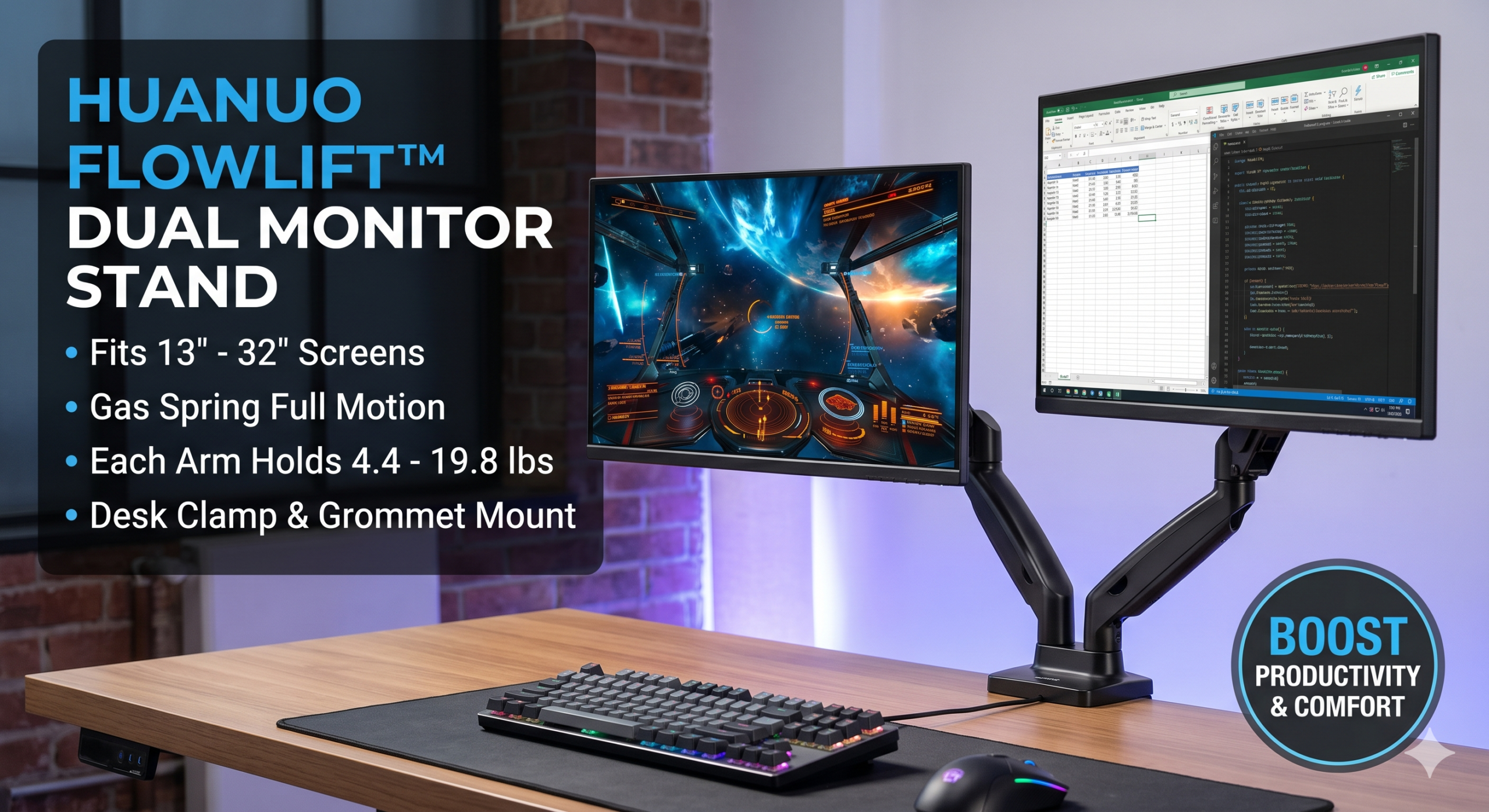
If you use two computer screens for gaming or office work, you know how fast they can completely swallow up your desk space. Most basic monitor feet are bulky, static, and force you into awkward sitting positions.The HUANUO FlowLift™ Dual Monitor Stand aims to solve that problem by lifting your displays completely off your desk using two heavy-duty adjustable arms.
Here’s everything you need to know before buying one.
Who Is This For?
Before we get into the details, let me set the stage. This stand is a great fit if you:
- Use two monitors (13 to 32 inches each)
- Want to reclaim desk space without spending over $100
- Need the flexibility to adjust your monitors frequently throughout the day
- Have a solid wood or thick desk that can handle a C-clamp
It’s probably not right for you if you have a glass desktop, hollow-core particle board furniture, or monitors that are heavier than 19.8 lbs each.
Quick Specifications
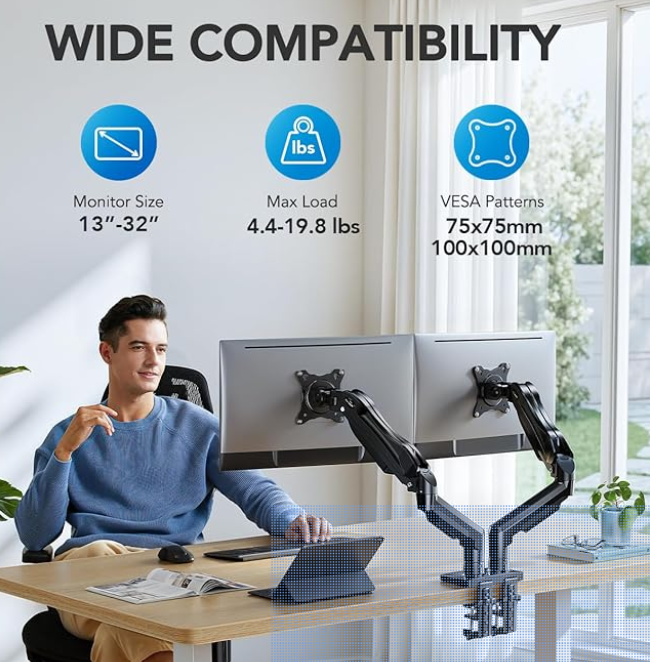
| Feature | Details |
| Screen Sizes Supported | 13 inches to 32 inches |
| Weight Capacity | 4.4 lbs to 19.8 lbs per arm |
| VESA Patterns | 75x75mm and 100x100mm |
| Desk Thickness Allowed | 0.59 inches to 3.54 inches |
| Mounting Options | Dual C-Clamp or Grommet (through-hole) |
About This Item : HUANUO FlowLift™ Dual Monitor Stand
First Impressions & Build Quality
Right out of the box, I’ll say it: there’s a lot of hardware in there. Screws, washers, brackets, cable clips — it looks like a weekend project gone wrong. Don’t panic. Once you actually start putting it together, it clicks into place faster than you’d expect.
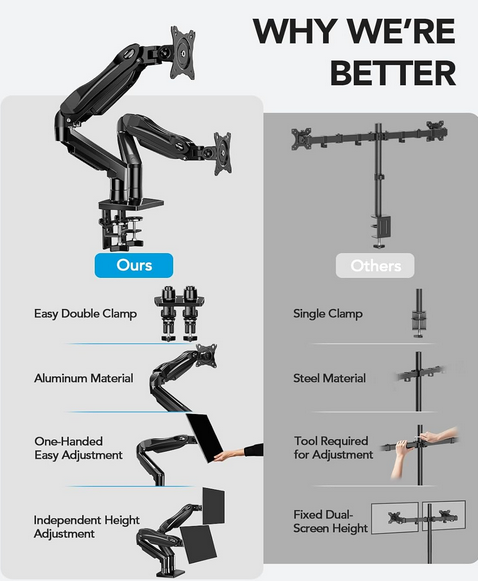
The arms themselves are built from cold-rolled steel and feel genuinely solid. No wobble, no flex, no cheap-plastic feeling at the joints. The base clamp is heavy-duty, and the whole thing signals durability without being unnecessarily bulky. HUANUO describes it as purpose-built rather than overengineered, and I’d agree with that completely. It does exactly what it promises and doesn’t try to do more than it needs to.
HUANUO FlowLift™ Dual Monitor Stand Full Review
Setup & Installation: Surprisingly Simple
First off, assembling the HUANUO FlowLift took me about 20 to 25 minutes. However, I’ve seen experienced users get it done in just 10 minutes once they know the ropes.
The absolute standout feature here is the notched, slide-on VESA plate system. Ultimately, this design choice makes attaching your monitors incredibly straightforward. Instead of holding a 15-pound monitor in the air while fumbling with screws, you simply mount the VESA plate to the back of your screen first, and then slide it right onto the arm.
Furthermore, the stand provides two versatile mounting options right out of the box:
- C-Clamp: The most common method that clamps directly to the edge of your desk.
- Grommet Base: Slides through a pre-drilled hole for a cleaner, more permanent installation.
A Quick Word of Caution: If you have a cheaper particle-board desk or a thin edge, you will definitely want to place a small piece of scrap wood or a reinforcement board between the clamp and the desk surface. Because the clamp exerts concentrated pressure, it can dent or crack thinner materials over time.
HUANUO FlowLift™ Dual Monitor Stand Full Review
The Gas Spring: The Real Star of the Show
Moving on to performance, this is exactly where the HUANUO FlowLift truly earns its reputation.
The gas spring mechanism is undeniably smooth. Frankly, it isn’t just “smooth for the price”—it is genuinely premium. Once you dial in the tension to match your monitor’s weight, the arms feel like they are floating. Consequently, you can raise or lower your screens with a single hand, pull them in close for detailed work, or push them back to watch a movie. Most importantly, they stay exactly where you leave them without any drifting.
The full motion range is impressive:
- Tilt: -50° to +85°
- Swivel: ±90°
- Rotation: 360° (great for flipping into portrait mode)
- Height adjustment: smooth, tool-free
Ergonomics: This Is Actually the Point
One thing I didn’t fully appreciate before switching from stock stands is how much better your posture gets when you can dial in your monitor height precisely.
The HUANUO FlowLift is specifically designed to put your screens at true eye level, reducing neck and shoulder strain from looking down at a monitor that’s sitting too low — which is what basically every stock stand does. For gamer, streamers, and anyone doing long sessions in front of their screens, this kind of ergonomic benefit adds up fast.
Compatibility
The FlowLift Dual Monitor Stand works with:
- Screen sizes from 13 to 32 inches per arm
- Monitor weights from 4.4 to 19.8 lbs per arm
- VESA mounting patterns of 75×75mm and 100×100mm
- Both flat and curved monitors
The heavy-duty version (if you need it) supports monitors up to 26 lbs, which covers most 32–35″ ultra wides. Just make sure you’re buying the right tier for your specific monitors — it makes a real difference in how the gas spring performs.
HUANUO FlowLift™ Dual Monitor Stand Full Review
Cable Management: Great Concept, Flimsy Execution
The cable management system runs along the inside of each arm, effectively keeping your cords hidden and routed cleanly from the monitor down to your desk.
However, the plastic covers and the screws that hold them in place are arguably the weakest part of the entire design. Specifically, the screws are made of a soft metal that can easily strip if you over-tighten them. The covers themselves can feel a bit flimsy, especially when compared to how exceptionally solid the rest of the arm is.
My Setup Advice: Use a high-quality screwdriver, take it slow, and do not force anything. Ultimately, the cable management works very well once it is finally dialed in—the brief frustration is strictly limited to the setup process itself.
How to check if my computer monitors have the right VESA holes and weight for the HUANUO FlowLift stand.
To figure out if your screens will work with the HUANUO FlowLift stand, you just need to check two main things: the mounting pattern on the back and the actual weight of the panels.
Here is the quick process to verify your setup:
1. Check the VESA Hole Pattern
VESA is just a standard measurement for the four screw holes on the back of your monitor.
- The Look: Flip your monitor over or look at the back. You are looking for a square pattern of four screw holes.
- The Measurement: Measure the distance between these holes in millimeters, both horizontally and vertically.
- Compatibility: The HUANUO stand supports 75x75mm and 100x100mm patterns. If your measurements match either of these, you are good to go.
- What if there are no holes? If your monitor has a fixed stand that doesn’t come off, or a completely flat back with no screw holes, it is likely “non-VESA.” You would need a separate VESA adapter bracket to make this work.
2. Check the Monitor Weight
This is the most important part because the arm uses a gas spring to hold your monitor up.
- Find the Spec Sheet: Look up your monitor’s model number online. Look for the “Weight” or “Weight without stand” specification.
- The Limit: The HUANUO stand requires each monitor to weigh between 4.4 lbs and 19.8 lbs.
- If your monitor is lighter than 4.4 lbs: The arm will likely spring upward automatically because there isn’t enough weight to hold it down.
- If your monitor is heavier than 19.8 lbs: The arm will slowly drift downward and won’t be able to hold its position.
Pro-Tip for Installation
Once you confirm the specs, keep the manual or the product page handy for the first setup. You will almost certainly need to use the included hex (Allen) key to adjust the tension screw on the arm. If the arm drops, tighten the screw (usually marked with a ‘+’ sign); if the arm jumps up, loosen the screw (the ‘-‘ sign).
Pros & Cons: HUANUO FlowLift™ Dual Monitor Stand
| The Pros | The Cons |
| Frees up massive desk space by removing bulky monitor stands | Requires initial tuning with a hex wrench to balance the gas springs |
| Smooth gas-spring adjustments for easy one-handed tilting and lifting | Not safe for glass desks (the clamp pressure requires solid wood/metal) |
| Heavy-duty dual C-clamp keeps monitors from wobbling while typing | Minimum weight requirement of 4.4 lbs (very light screens will pop up) |
| 360° screen rotation easily flips monitors into portrait or landscape | Needs rear clearance; your desk can’t sit perfectly flush against the wall |
| Built-in cable management hides messy cords for a clean setup |
Final Verdict
If you’re still using the plastic stands that came with your monitors, the HUANUO FlowLift™ Dual Monitor Stand is one of the most impactful upgrades you can make to your workspace — full stop. It’s not just about looks, although it does make a setup look considerably cleaner. It’s about desk space, ergonomics, and flexibility. All three improve dramatically.
For the price range (typically $54–$79), you’re getting gas-spring adjustability that used to be reserved for arms costing two or three times as much. The minor frustrations around cable management and the initial hardware intimidation are real but minor — and they go away after you’ve used it for five minutes.
It earns a strong recommendation for home office workers, dual-screen setups, gamer, and anyone who wants to stop hunching over a desk that’s working against them.
What Other Real Users Are Saying
“Gave me the extra space I didn’t know I needed.”
“I wasn’t expecting to like this as much as I do, but this monitor stand completely upgraded my desk setup. Setup was extremely fast and easy, and once it’s on the desk, it feels very sturdy and secure. No wobbling, even when adjusting the monitors. It cleared up a ton of desk space, which I didn’t realize I needed until I had it.”
“Great dual arm monitor mount!”
“Mount is very sturdy and very well made. I have two 27” curved monitors attached to this mount and once they were set, and I made a couple of adjustments at the hinges, the monitors stayed exactly how I positioned them. No bobbing up or down or twisting off the vertical plane. This mount is a little more expensive than some of the other mounts but it’s well worth the cost!”
“This should have been my first choice.”
“Every time I would bump or brush up against the desk [with my old stand], it would shake the monitors. This stand is very well made. It can turn and angle in any direction. Very easy to install on a desk. It’s very stylish and takes up very little space on the desk top.”